Deep Dive into `structuredClone`: The Modern Way to Clone Objects in JavaScript
Learn about `structuredClone`, a new JavaScript feature that provides an efficient way to deep clone objects and handle complex structures.
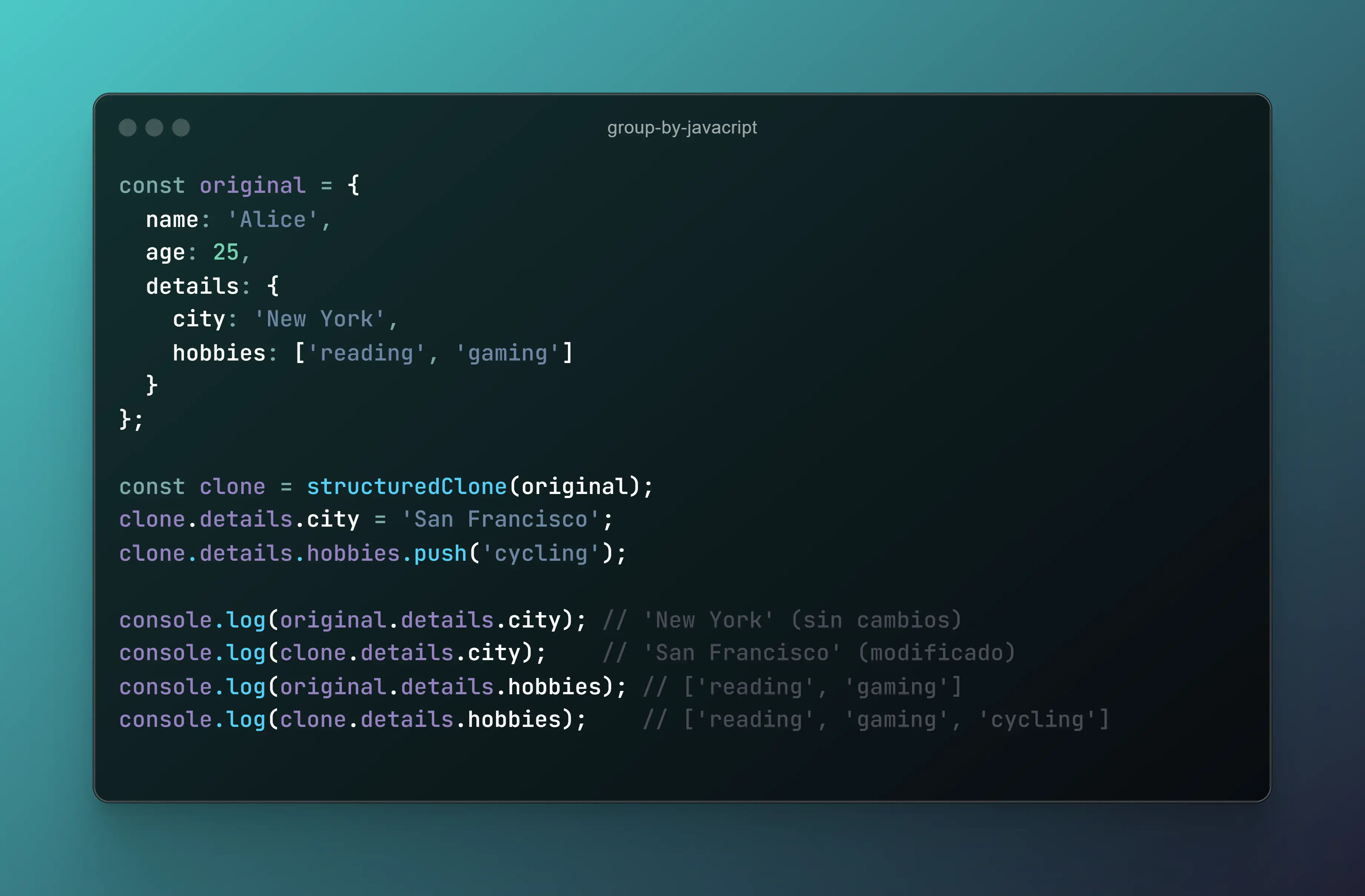
Deep Dive into structuredClone: The Modern Way to Clone Objects in JavaScript
JavaScript developers often need to create deep copies of objects, but traditional methods like JSON.parse(JSON.stringify(obj)) have limitations. The structuredClone method is a built-in solution that handles complex data structures efficiently.
What is structuredClone?
structuredClone is a native JavaScript function that deeply clones objects, including those with circular references, Map, Set, ArrayBuffer, and more.
Syntax
const clone = structuredClone(value)- value: The object or value to be cloned.
- Returns: A deep copy of the input value.
Example Usage
Cloning an Object
const original = { name: 'Alice', details: { age: 25, city: 'New York' } }
const copy = structuredClone(original)
console.log(copy)
Handling Complex Data Structures
const data = new Map([
  ['key1', { name: 'John' }],
  ['key2', { name: 'Jane' }]
])

const clonedData = structuredClone(data)
console.log(clonedData)
Why Use structuredClone?
- Supports complex structures like
Map,Set, andArrayBuffer. - No prototype loss compared to
JSON.stringifymethods. - Handles circular references gracefully.
Conclusion
The structuredClone method is a game-changer for JavaScript developers. It simplifies deep cloning while handling advanced data structures seamlessly. Start using it today to improve your object cloning logic!
title: ‘Mastering Number Formatting in JavaScript with Intl.NumberFormat’
description: ‘A comprehensive guide to Intl.NumberFormat in JavaScript for formatting currency, percentages, and localized number displays.’
pubDate: ‘2025-02-27’
heroImage: ‘/blog/intl-number-format/intl-number-format.webp’
tags: [‘javascript’, ‘web development’, ‘formatting’]
Mastering Number Formatting in JavaScript with Intl.NumberFormat
Formatting numbers correctly is essential for a good user experience. The Intl.NumberFormat API in JavaScript provides powerful ways to format numbers for different locales, currencies, and number styles.
What is Intl.NumberFormat?
Intl.NumberFormat is a built-in JavaScript API that allows developers to format numbers according to specific locales and styles.
Syntax
const formatter = new Intl.NumberFormat(locale, options)- locale: A string representing the locale (e.g.,
'en-US','fr-FR'). - options: An object defining formatting rules like style, currency, and notation.
Example Usage
Formatting as Currency
const usdFormatter = new Intl.NumberFormat('en-US', {
  style: 'currency',
  currency: 'USD'
})
console.log(usdFormatter.format(1234.56)) // "$1,234.56"
Formatting as Percentage
const percentFormatter = new Intl.NumberFormat('en-US', {
  style: 'percent',
  maximumFractionDigits: 2
})
console.log(percentFormatter.format(0.1234)) // "12.34%"
Formatting with Different Locales
const germanFormatter = new Intl.NumberFormat('de-DE')
console.log(germanFormatter.format(1234567.89)) // "1.234.567,89"
Why Use Intl.NumberFormat?
- Locale-aware formatting ensures numbers appear correctly in different regions.
- Currency formatting makes handling international transactions easier.
- Customization options allow for precision in percentage, notation, and grouping.
Conclusion
The Intl.NumberFormat API is a must-know tool for JavaScript developers working with financial or localized applications. With its flexible and powerful formatting options, it significantly improves number presentation in web applications.